

Comparison
A Paint Love alternative for couples
Paint Love is a couple drawing app built around the lock screen: you draw, your partner sees it when they pick up their phone. It is well made, focused, and it markets itself on requiring no account, which is a legitimate privacy advantage and the main reason to prefer it.
Last updated
The trade for that simplicity is that drawing is very nearly the whole app. Its Google Play listing now mentions a love counter and games alongside it, but the canvas is the point. For couples who want only the drawing, that is exactly right. For couples who find themselves also wanting a photo widget, or something to talk about on a quiet evening, it means a second and then a third app.
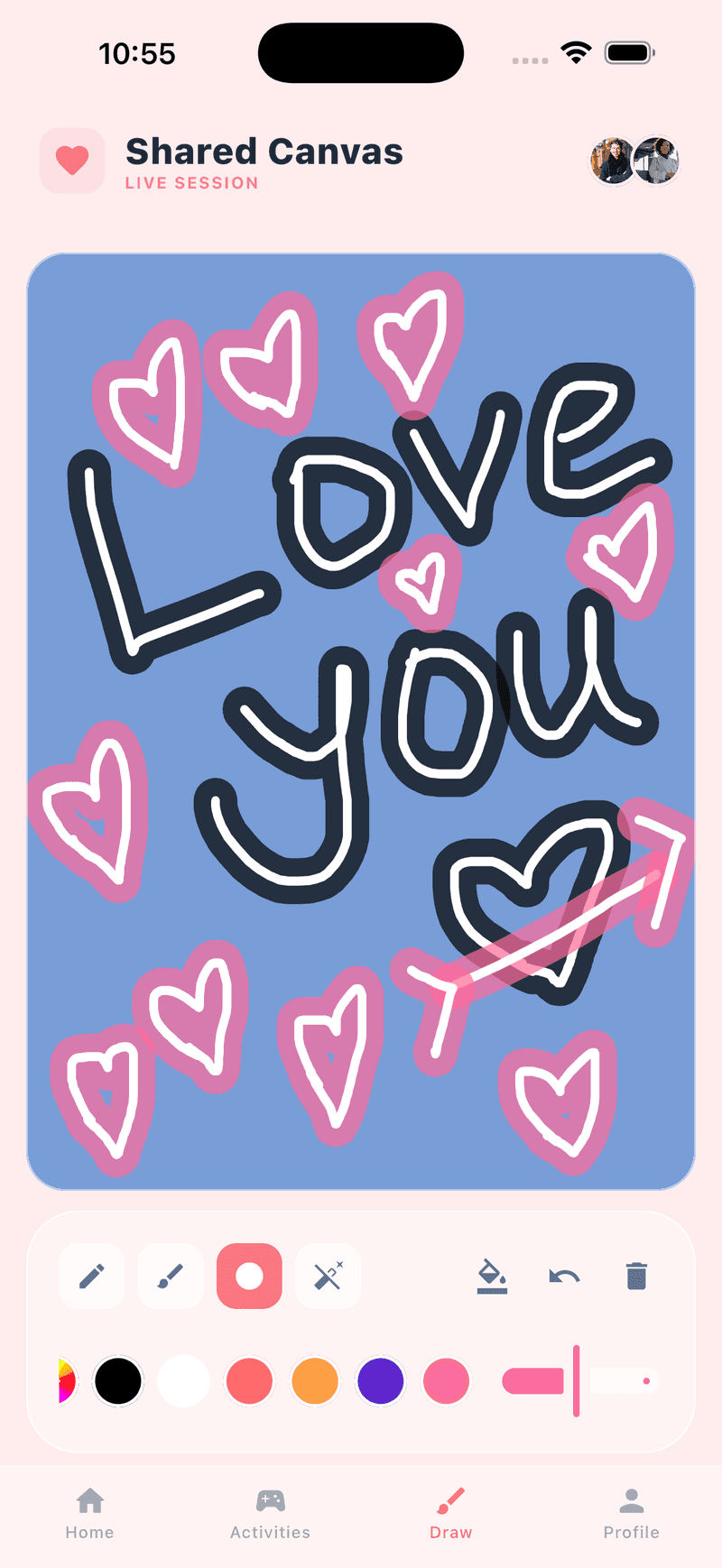
HeartTap covers the same drawing ground, with a live canvas where both of you draw at once rather than trading finished pictures, and then adds the status widget, the question library and the daily check-in around it. It does require an account, which is the honest cost of syncing a timeline between two phones.
HeartTap, for reference
Feature by feature
| Feature | HeartTap | Paint Love |
|---|---|---|
| Drawing on your partner’s lock screen | Yes, lock screen and home screen widgets | Yes, this is the core of the app |
| Live shared canvas, both drawing at once | Yes, in real time | Real-time drawing together |
| Account required | Yes, or start as a guest and add an email later | Markets itself on requiring no account |
| Photo and video status widget | Yes, with captions | Drawing focused |
| Conversation questions | 2000+, answers hidden until both reply | Not a feature of the app |
| Daily check-in prompts | Three-prompt daily reflection | Not a feature of the app |
| Shared timeline with replies | Yes | Drawing history |
| iPhone and Android | Both | Both |
Competing apps change quickly. This describes each app’s core positioning as of October 2026, and the feature the comparison turns on rather than an exhaustive audit. Check the current store listing before deciding.
Pick Paint Love if
- Not creating an account is important to you, which is a reasonable position.
- Drawing is the whole of what you want and extra features would be clutter.
- You want the lightest possible app with the smallest possible footprint.
Pick HeartTap if
- You want the drawing plus photos, questions and check-ins in one place.
- A shared timeline you can scroll back through matters to you.
- You would rather one app than three, and an account is an acceptable cost for that.
A note on how this is written
We make HeartTap, so this is not a neutral review and you should not read it as one. What we have tried to do instead is be specific about what Paint Love is genuinely better at, since a comparison page that concludes the author’s own product wins on every row is not telling you anything. If you want the wider view, the best couple widget apps page covers the category, and cross-platform support is worth checking for whichever app you pick.
The HeartTap feature this turns on
The shared drawing canvas
Draw together live on one surface, or send a finished doodle to their widget.
Frequently asked questions
What does Paint Love do that HeartTap does not?
It works without an account, which is a real privacy advantage if that matters to you. HeartTap needs an identity to sync a timeline between two devices, though you can start as a guest and add an email address later.
Can you draw on your partner’s lock screen with HeartTap?
Yes. HeartTap offers lock screen widgets as well as home screen widgets on both platforms, and drawings you send appear there. Most couples run a large widget on the home screen and a small one on the lock screen.
Which has better drawing tools?
Both are capable for the purpose, which is doodles rather than illustration. The difference worth caring about is the live shared canvas in HeartTap, where you both draw on the same surface at the same time and watch the other person’s strokes appear as they happen.
Is HeartTap free?
Free to download and free to use daily, with limits on some actions. A subscription lifts the limits and unlocks the full question library.
Put them on your home screen tonight
Free to download on iPhone and Android. Link with your partner in under a minute, then send your first photo, drawing or check-in.