

Feature
A private timeline for two
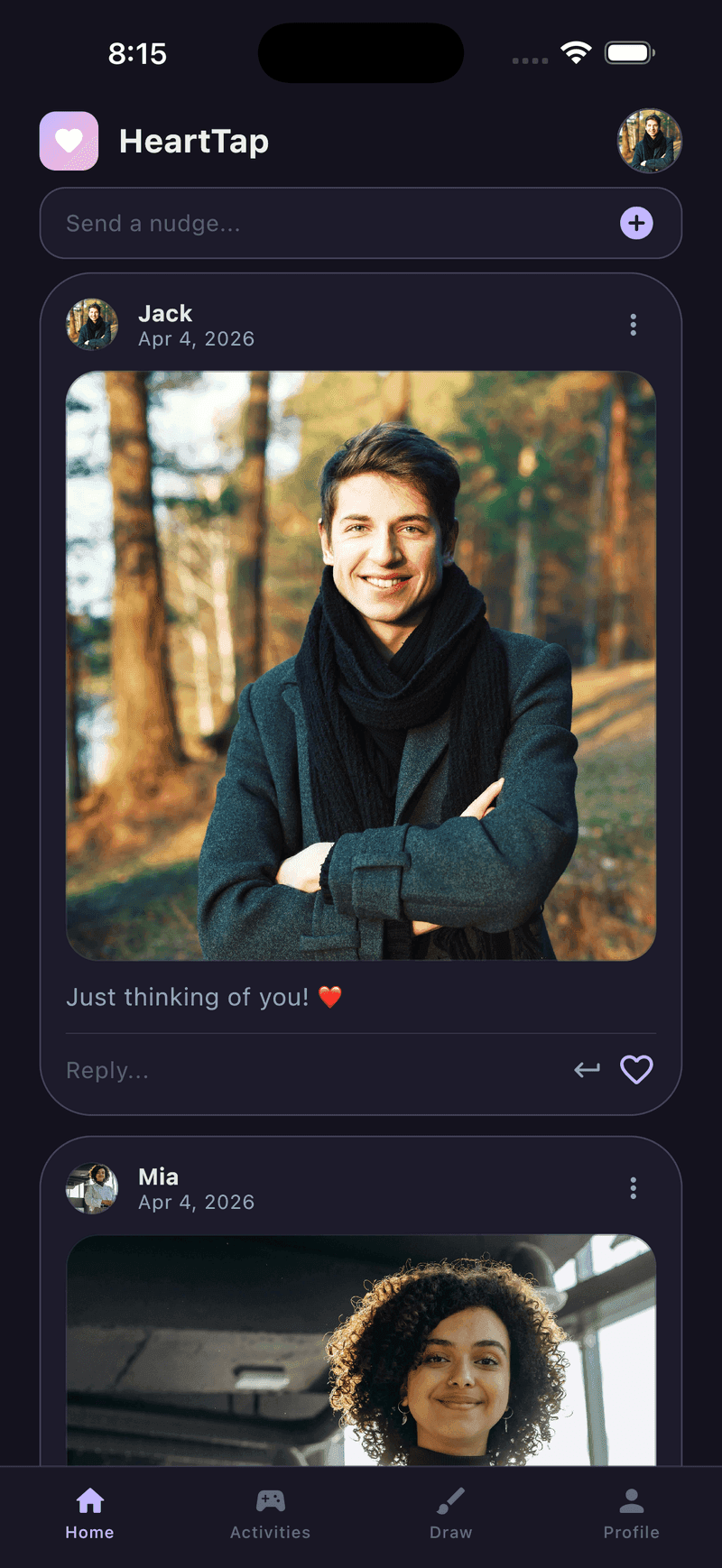
Every photo, drawing, question answer and check-in lands in one shared timeline. It has two members and no way to add a third. There is no public profile, no follower count, no discovery surface and no algorithm choosing what either of you sees.
This matters more than it sounds. Nearly everything else people use to share their life is a broadcast medium with an audience, and the presence of an audience changes what gets posted. A feed of two produces a completely different record, because nothing in it was ever performed.
Everything in one place
Photos, videos, drawings, question answers and daily check-ins all land in the same timeline, in order. The widget is a surface onto it rather than a separate store.
Replies and reactions
Anything can be replied to or reacted to. A drawing can answer a photo, and a reply threads underneath the thing it responds to rather than scrolling away from it.
Two people, structurally
The timeline holds exactly two accounts. There is no group mode and no way to add somebody, so nothing you post can end up in front of an audience by accident.
It accumulates
Scroll back a year and you have the ordinary days rather than the highlights, because nothing here was selected for an audience. That turns out to be the part people value most after the first few months.
Frequently asked questions
Who can see my timeline?
You and your partner, and nobody else. There is no public profile, no sharing outward and no way to add a third person. Everything in HeartTap is one to one by construction.
Is the timeline encrypted?
Data is encrypted in transit, and access to production systems is restricted. It is not end to end encrypted, and we would rather say so plainly than imply otherwise: syncing images between two phones and rendering them into a widget requires our infrastructure to be able to process them. No mainstream app in this category is end to end encrypted.
What happens to the timeline if we unlink?
Unlinking removes the connection between the two accounts. Your own entries stay with your account. Content your partner kept on their side stays with theirs, in the same way a sent message remains in someone’s inbox.
How long is content kept?
Timeline content is kept until you delete it or delete your account. Media attached to a status update is removed automatically after 48 hours as part of routine cleanup, which is covered in the privacy policy.
Put them on your home screen tonight
Free to download on iPhone and Android. Link with your partner in under a minute, then send your first photo, drawing or check-in.