

Couple widgets
What is a couple widget?
A couple widget is a piece of your partner living on your home screen. It updates by itself, it does not need either of you to open anything, and it is the only category of app that reaches someone without asking for their attention first.
The idea
Messaging apps are demanding by design. A message arrives, it wants a reply, and a reply that does not come starts to mean something. That is fine for conversation and poor for the ambient business of being close to someone, where most of what you want to communicate is simply that you exist and are thinking of them.
A widget solves that by removing the reply. You post a photo or a drawing, it appears on their home screen, and nothing is owed. They see it the next time they unlock their phone, which for most people is roughly a hundred times a day. It is the digital version of a photo on a desk, except it changes.
How they actually work
Both people install the same app and link their two accounts, usually by one person sending an invite link and the other opening it. From then on, posting from one phone triggers a silent push to the other, which tells the operating system to redraw the widget. There is no polling and no app running in the background, which is why the battery cost is negligible.
This design also explains the most common complaint. If a widget is not updating, it is nearly always because the operating system has decided the app may not refresh in the background. On Android this is battery optimisation, and on iOS it is Background App Refresh. Both are one toggle away from fixed, and the guide to a widget that is not updating walks through each.
The four kinds you will find
- Photo widgets. Send a picture, it appears. The largest category and the easiest to understand.
- Drawing widgets. Doodle something and it lands on their screen. More personal than a photo, and harder to do carelessly.
- Counter widgets. Days together, distance apart, days until you next meet. Passive, and popular with long distance couples.
- Status widgets. A mood, a short note or a state. Lower effort than a photo, which for a lot of couples means it actually gets used.
What separates the good ones
Nearly every app in this category is charming for a fortnight. The ones people still use six months later tend to have solved a different problem: they give you something to do rather than only something to send. A widget with a question attached, or a daily prompt, survives the point where sending photographs of your desk stops being interesting.
The other thing worth weighing is whether the app is built for two people or for a group. Group-first apps like Locket show everything to everyone you have added. Pair-first apps have no third seat at all. Both are reasonable, and they produce completely different habits.
We have written up the main options on the best couple widget apps page, including where other apps beat ours. Nearly all of them are free to download with a subscription behind them, and we have set out what each one gives you for free and what the paid tier costs.
If you already have one and it has gone quiet, the usual cause is running out of things to send. There are fifty couple widget ideas for that.
Setting one up
The mechanics differ slightly by platform but the shape is the same: install, link, then long-press the home screen and add the widget. We have step by step guides for iPhone and Android, including the lock screen, which is where most people get stuck.
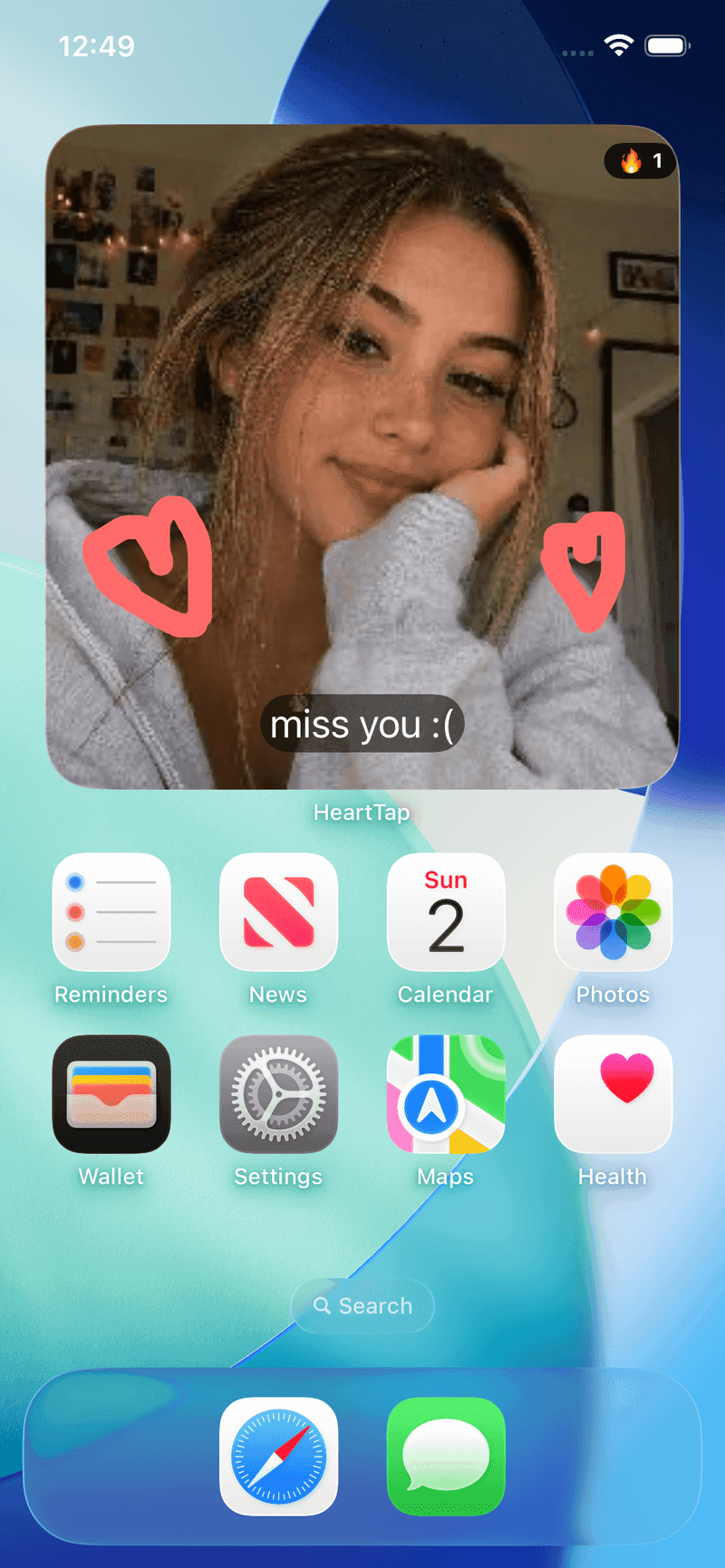
A HeartTap status widget on the home screen
Frequently asked questions
What is a couple widget?
A couple widget is a small panel on your phone’s home screen or lock screen that shows something from your partner: a photo, a drawing, a status, or a counter. Two phones are linked to each other, and when one person posts, the other person’s widget updates on its own. The defining feature is that neither of you has to open an app for it to work.
How do couple widgets work?
Both of you install the same app and link the two accounts, usually by one person sending an invite link. When you post something, it goes to the app’s servers and a notification tells your partner’s phone to refresh. The operating system then redraws the widget on their home screen. The whole cycle usually takes seconds.
Do couple widgets drain your battery?
Not meaningfully. Widgets do not run continuously; the system wakes them briefly to redraw when there is something new, and both iOS and Android tightly limit how often that can happen. The practical problem is usually the opposite one, where aggressive battery saving stops a widget updating as often as you want.
Why is my couple widget not updating?
Almost always one of three things. The two accounts are not actually linked. Background refresh is switched off, which is Background App Refresh on iOS and battery optimisation on Android. Or the widget was added before linking finished and needs removing and adding again. On Samsung and Xiaomi phones in particular, battery optimisation is the usual culprit.
Are couple widgets private?
They avoid the thing most people mean by privacy, which is an audience: there is no feed, no followers and no algorithm deciding who sees what. They are not end to end encrypted, because syncing an image between two phones means storing it on a server. Be sceptical of any app in this category claiming otherwise without explaining how.
Do couple widgets work between iPhone and Android?
Most of the well-known apps now ship on both stores, so a mixed-phone couple has plenty of choice. Check the store listing rather than an article, since this changes and a lot of what is written about it is out of date.
What size widget should we use?
Most couples end up with a large photo widget on the home screen, because a small one crops a face badly, and a small widget on the lock screen where space is tight. Both platforms offer several sizes, and it is worth trying more than one before settling.
Put them on your home screen tonight
Free to download on iPhone and Android. Link with your partner in under a minute, then send your first photo, drawing or check-in.